Microsoft 365 License Comparison
Introduction
Every Microsoft 365 project starts with the question of which license plan is right for the company and its employees. I’m not a licensing consultant, so this isn’t my main area of expertise. It’s always good to have some knowledge about the different options and what makes one license plan different from the other. In today’s blog, I’ll show you a handy website that helps you compare the options.
Microsoft 365 Maps
I use a website called M365 Maps to compare license plans. It was created by Aaron Dinnage, who works for Microsoft: Home | M365 Maps
Just a heads-up: The website was last updated in July 2023. It’s still a good overview, though. For the details, I’d suggest checking out other sources or talking to a licensing specialist.
Service Plan overview
This is the main page where you can choose a license plan and get all the details you need:
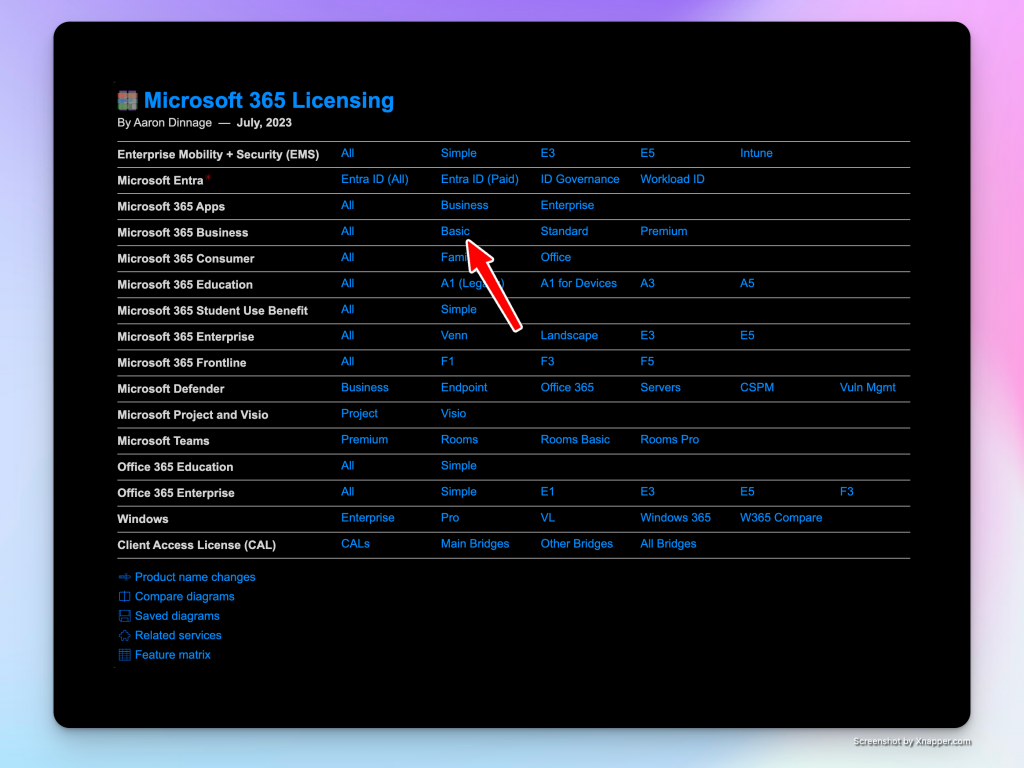
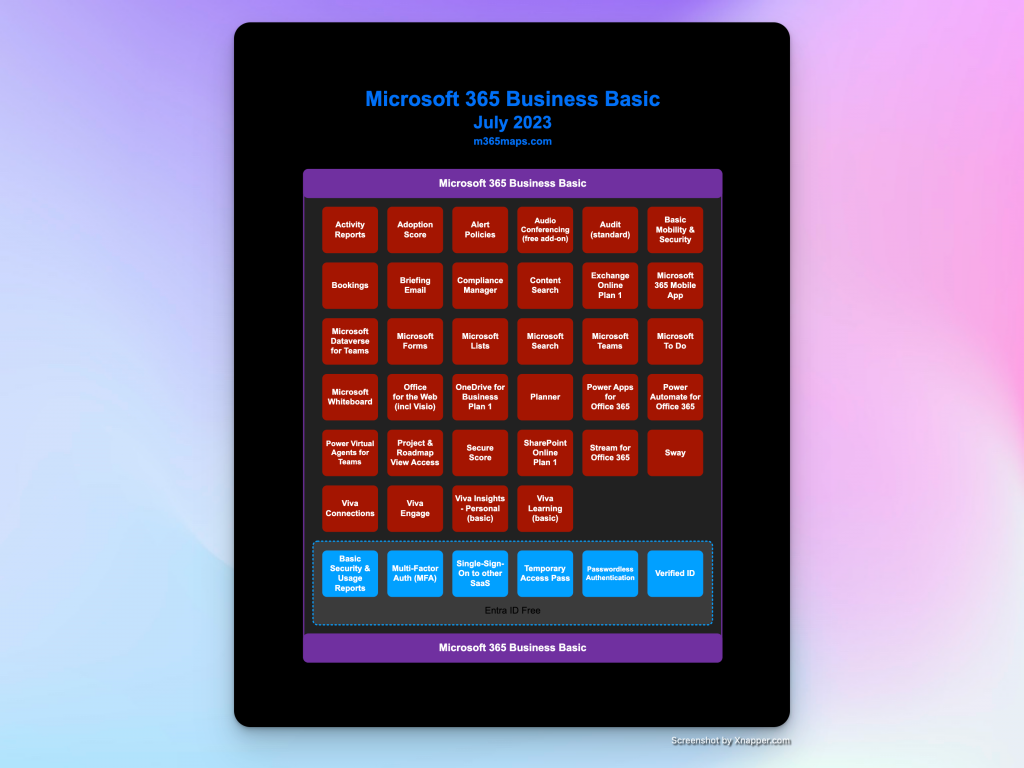
If you click on a license plan, you’ll get an overview of the included services:
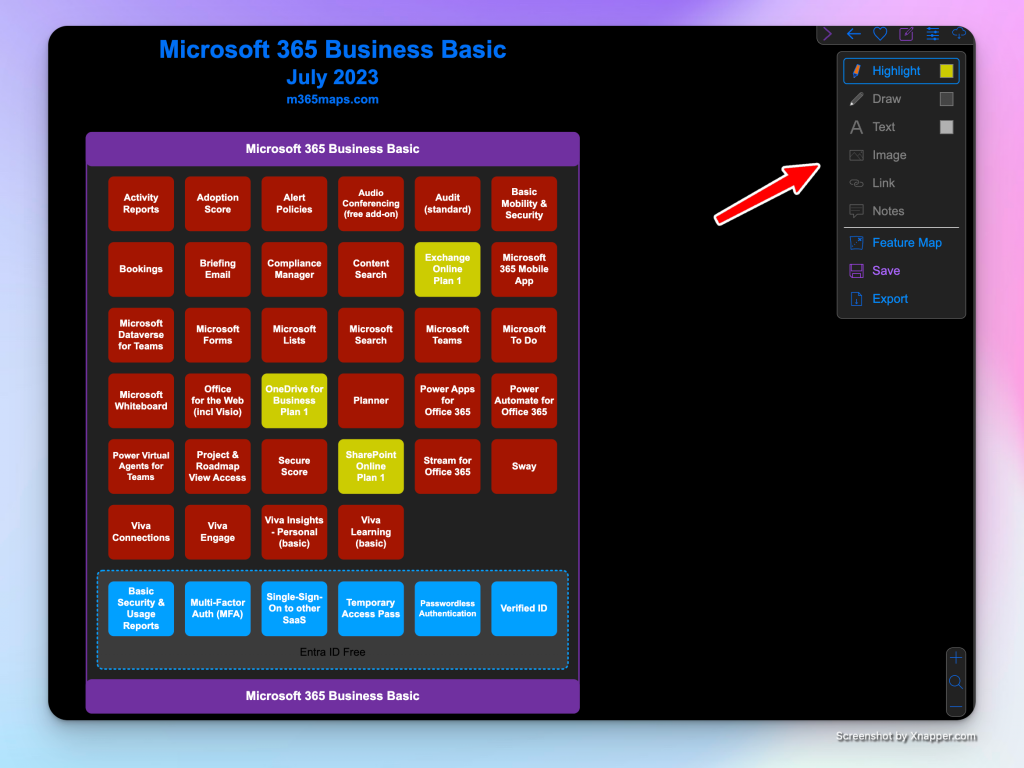
If you click on a service, you’ll be taken to a Microsoft page with more details. In the top right corner, you’ll find tools for marking services, drawing, and making notes. This can be really helpful when you’re discussing a service plan with a client:
Feature Matrix
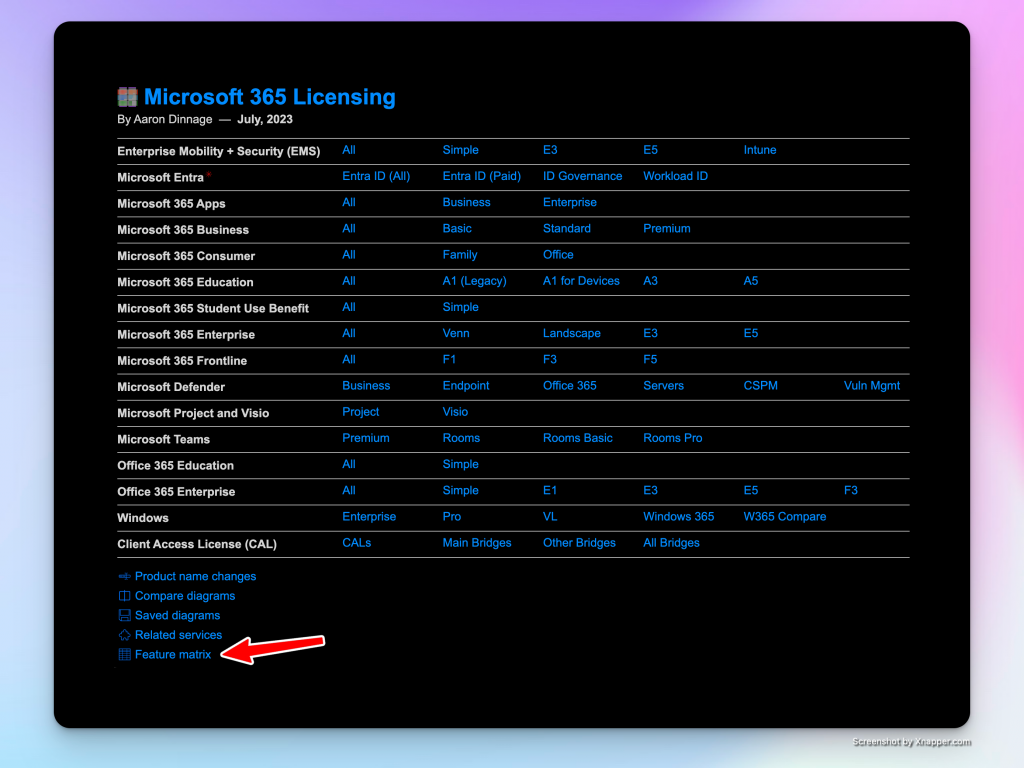
The second tool you’ll find useful on this page is the feature matrix. You’ll see it in the lower left corner of the main page:
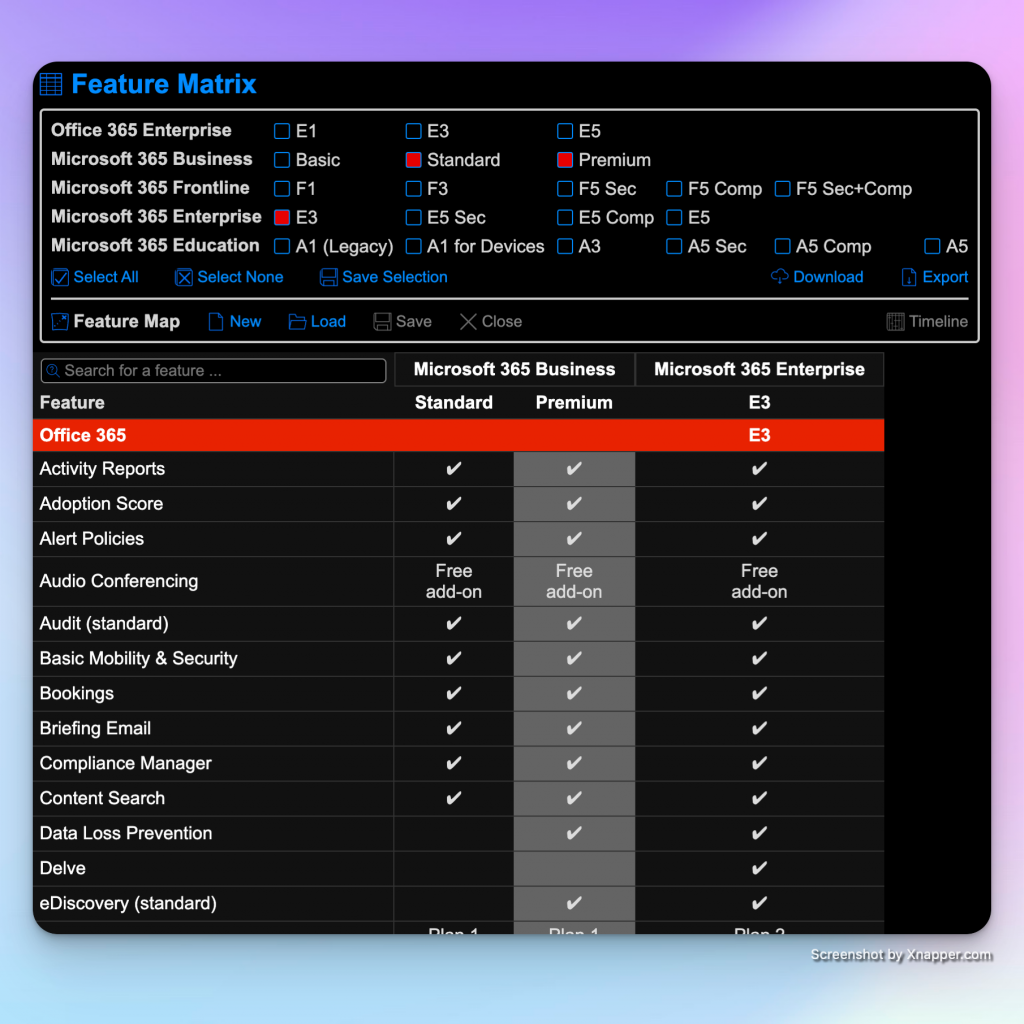
At the top of the page, you can choose which licenses you’d like to compare. Below, you’ll find descriptions of each feature with icons showing you which licenses include that feature and which might be an add-on.
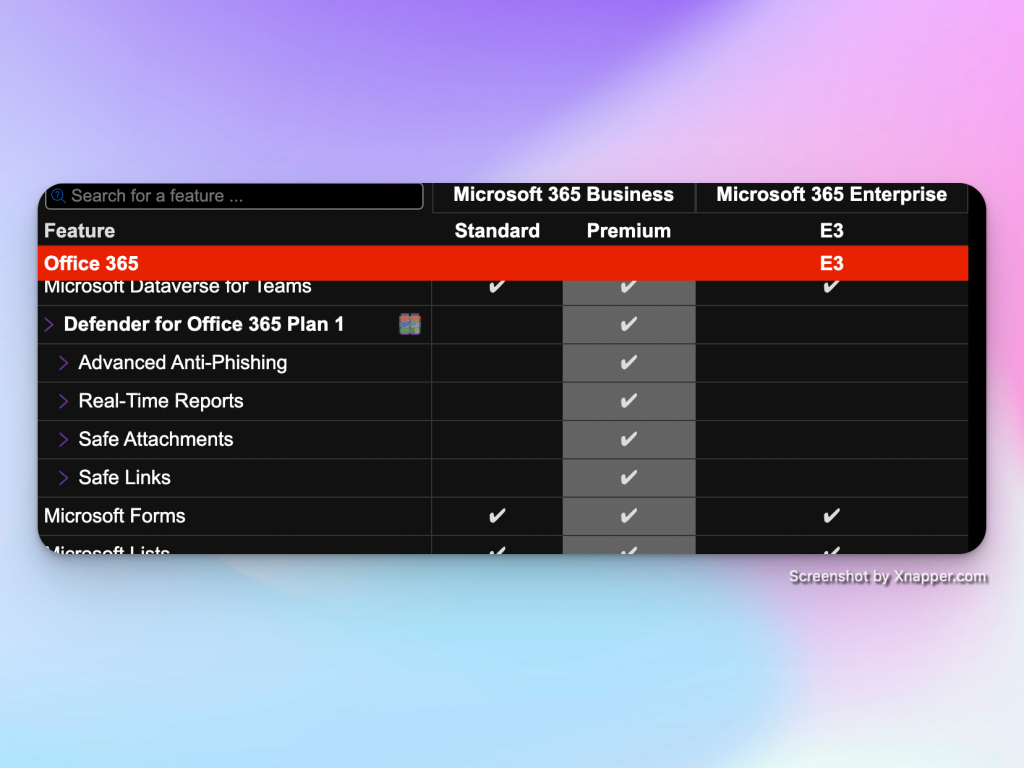
This screenshot shows that Defender for Office Plan 1 is only included in the Microsoft 365 Business Premium license plan, compared to the Business Standard and Enterprise E3 license plans:
Conclusion
That’s all for today’s article. I hope you can make use of this tool as well! If you found this article useful you might as well be interested in the article describing how to create a Microsoft 365 tenant.